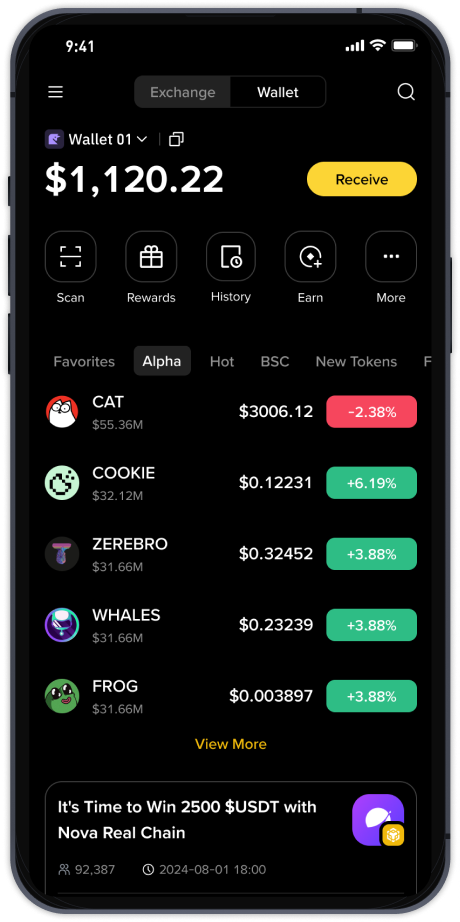
How to Use Binance Decentralized Exchange: A Step-by-Step Guide for Beginners

Binance, one of the world’s largest cryptocurrency exchanges, also offers a decentralized exchange (DEX) known as Binance DEX. Unlike the centralized Binance.com platform, Binance DEX allows users to trade directly from their own wallets without handing over custody of their funds. This guide will walk you through how to use the Binance decentralized exchange, covering key steps, setup, and important features.
What is Binance DEX?
Binance DEX is a non-custodial exchange built on the Binance Chain. It enables peer-to-peer trading of BEP-2 tokens. Because it is decentralized, you retain full control of your private keys and funds. This reduces risks associated with exchange hacks, but also places more responsibility on you for security.
Step 1: Set Up a Compatible Wallet
To use Binance DEX, you need a wallet that supports Binance Chain. The most common options are:
- Trust Wallet: The official Binance wallet app. It supports BNB and BEP-2 tokens and connects directly to Binance DEX via the built-in DApp browser.
- Ledger Hardware Wallet: For maximum security, you can connect a Ledger device to Binance DEX through a browser extension like Binance Chain Wallet.
- Binance Chain Wallet: A browser extension for Chrome or Firefox that allows you to interact with Binance DEX and other dApps.
After installing your wallet, create a new wallet and securely back up your seed phrase. Never share your private keys or seed phrase with anyone.
Step 2: Access Binance DEX
Open your wallet (e.g., Trust Wallet) and navigate to the DApp browser. Search for “Binance DEX” or enter the URL: dex.binance.org. Within Trust Wallet, the DApp browser will open the exchange interface automatically.
Step 3: Fund Your Wallet
Before trading, you need to send cryptocurrency to your wallet address. The most common base currency on Binance DEX is BNB (BEP-2). You can purchase BNB from a centralized exchange like Binance.com and withdraw it to your DEX wallet address. Ensure you are using the correct network (Binance Chain, not Binance Smart Chain).
Step 4: Place a Trade
Once your wallet is funded, follow these steps to trade:
- On the Binance DEX interface, select the trading pair you want (e.g., BNB/USDT).
- Choose an order type: Limit (set your desired price) or Market (buy/sell at current market price).
- Enter the amount and click “Buy” or “Sell.”
- Your wallet will prompt you to confirm the transaction and pay a small BNB fee for the network.
- The transaction will be broadcast to the Binance Chain and confirmed within seconds.
Step 5: Withdraw Funds
Unlike centralized exchanges, your funds remain in your wallet after trading. To move tokens to another wallet or exchange, simply use the “Send” function within your wallet. Be sure to double-check the recipient address and network to avoid losing funds.
Important Tips for Using Binance DEX
- Security: Always verify the URL. Only use dex.binance.org or the official link from your wallet. Scam sites mimicking Binance DEX exist.
- Fees: Binance DEX charges a small trading fee (usually 0.1% or less) and network transaction fees in BNB. Check the current fee schedule on the platform.
- Liquidity: Liquidity on Binance DEX is lower than on centralized Binance. For large trades, use limit orders to avoid slippage.
- Token Support: Only BEP-2 tokens are tradable on Binance DEX. If you have BEP-20 tokens (Binance Smart Chain), you must swap them first or use a bridge.
Common Questions
Is Binance DEX safe? Yes, because you control your private keys. However, you must protect your seed phrase and use a secure internet connection.
Can I use Binance DEX on mobile? Yes, through Trust Wallet or other compatible mobile wallets with DApp browsers.
Do I need KYC? No, Binance DEX does not require identity verification. It is permissionless.
Using Binance decentralized exchange is straightforward once you have a wallet and understand the basics of non-custodial trading. It offers enhanced security and privacy compared to centralized exchanges, making it a valuable tool for users who prioritize control over their assets. Start with small trades to get comfortable, and always double-check addresses and network details before sending funds.