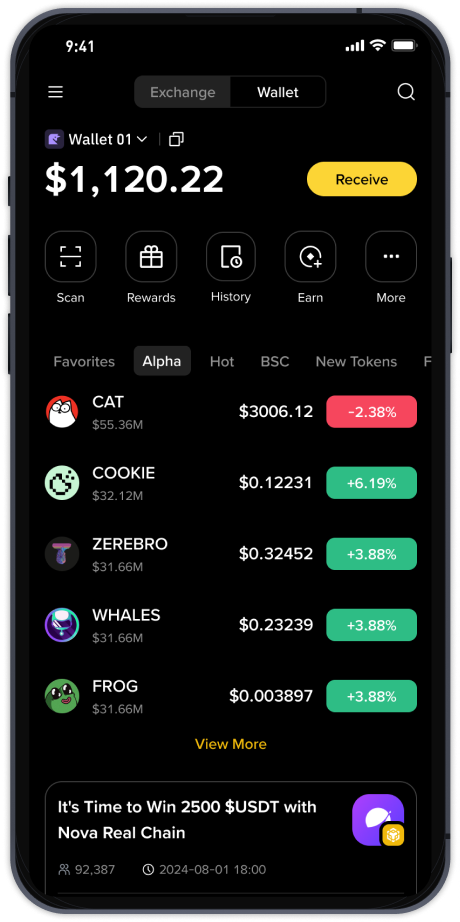
How to Use Binance: A Beginner’s Guide to the World’s Leading Crypto Exchange (Not a “Third-Tier” Platform)

When searching for “Binance third-tier exchange how to use,” some users may be confused by misleading labels. In reality, Binance is one of the largest and most liquid cryptocurrency exchanges globally, handling billions in daily trading volume. Calling it a “third-tier exchange” is inaccurate. This guide will help you understand how to actually use Binance for trading, staking, and withdrawals, even if English is not your first language.
Step 1: Create and Verify Your Account
Go to the official Binance website or download the mobile app from the App Store or Google Play. Click “Register” and enter your email or phone number. Set a strong password. Binance will send a verification code. After that, you must complete identity verification (KYC) by uploading a government ID and taking a selfie. Without verification, you cannot trade large amounts or use fiat currency deposit features. This process usually takes 1–10 minutes.
Step 2: Deposit Funds
Once verified, you can add funds. Click “Wallet” then “Deposit.” You have two main options:
- Crypto deposit: If you own Bitcoin or Ethereum elsewhere, copy the deposit address from Binance and send your coins there. Always double-check the network (e.g., ERC-20 for Ethereum) to avoid losing funds.
- Fiat deposit: Click “Buy Crypto” to purchase coins using a credit/debit card, bank transfer, or peer-to-peer (P2P) trading. P2P lets you buy USDT from other users using local payment methods like bank apps or e-wallets.
Step 3: Navigate the Trading Interface
Binance’s “Standard” trading view is beginner-friendly. Search for a trading pair like “BTC/USDT.” The left side shows the price chart (candlestick), the middle shows the order book (buy and sell orders), and the bottom shows your balance. To make a trade:
- Market order: Buy or sell immediately at the current market price. Enter the amount in USDT or crypto, then click “Buy BTC” or “Sell BTC.”
- Limit order: Set a specific price you want. For example, if Bitcoin is at $60,000, you can set a limit order at $59,500. The order will only execute when the price drops to that level.
Step 4: Use Advanced Tools (Optional)
Binance offers spot trading, margin trading (borrowed funds), futures (high-risk), and launchpad (new token sales). Do not use leverage or futures as a beginner. Instead, focus on spot trading or the “Earn” section, where you can stake coins like Dogecoin or Solana for passive interest. Staking is simple: select a coin, lock it for a flexible or fixed term, and receive daily rewards.
Step 5: Withdraw or Store Safely
To take money out, go to “Wallet” > “Withdraw.” Enter the recipient address (from your personal wallet, not the exchange again) and choose the correct network. Always start with a small test withdrawal. For security, enable 2FA using Google Authenticator (not SMS) and set anti-phishing codes in your account settings. Never share your private keys or seed phrases with anyone.
Common Mistakes to Avoid
- Ignoring network fees: Sending USDT on the BEP-20 network costs less than ERC-20. Choose BEP-20 whenever possible to save money.
- Falling for fake support: Scammers pretend to be Binance staff. Binance will never message you in Telegram or ask for your password. Only use official website or in-app chat.
- Not checking liquidity: Even though Binance is highly liquid, always check the order book depth before large trades. A small order can cause slippage on less popular altcoins.
Final Thoughts
Labeling Binance as a “third-tier exchange” is a misnomer. It is a top-tier, regulated platform used by millions worldwide. By following the steps above—verify, deposit, trade with market or limit orders, and secure your assets—you can safely access its full features. Start with small amounts, read Binance Academy guides, and never invest more than you can afford to lose. The platform’s support page also offers 24/7 live chat in multiple languages if you get stuck.